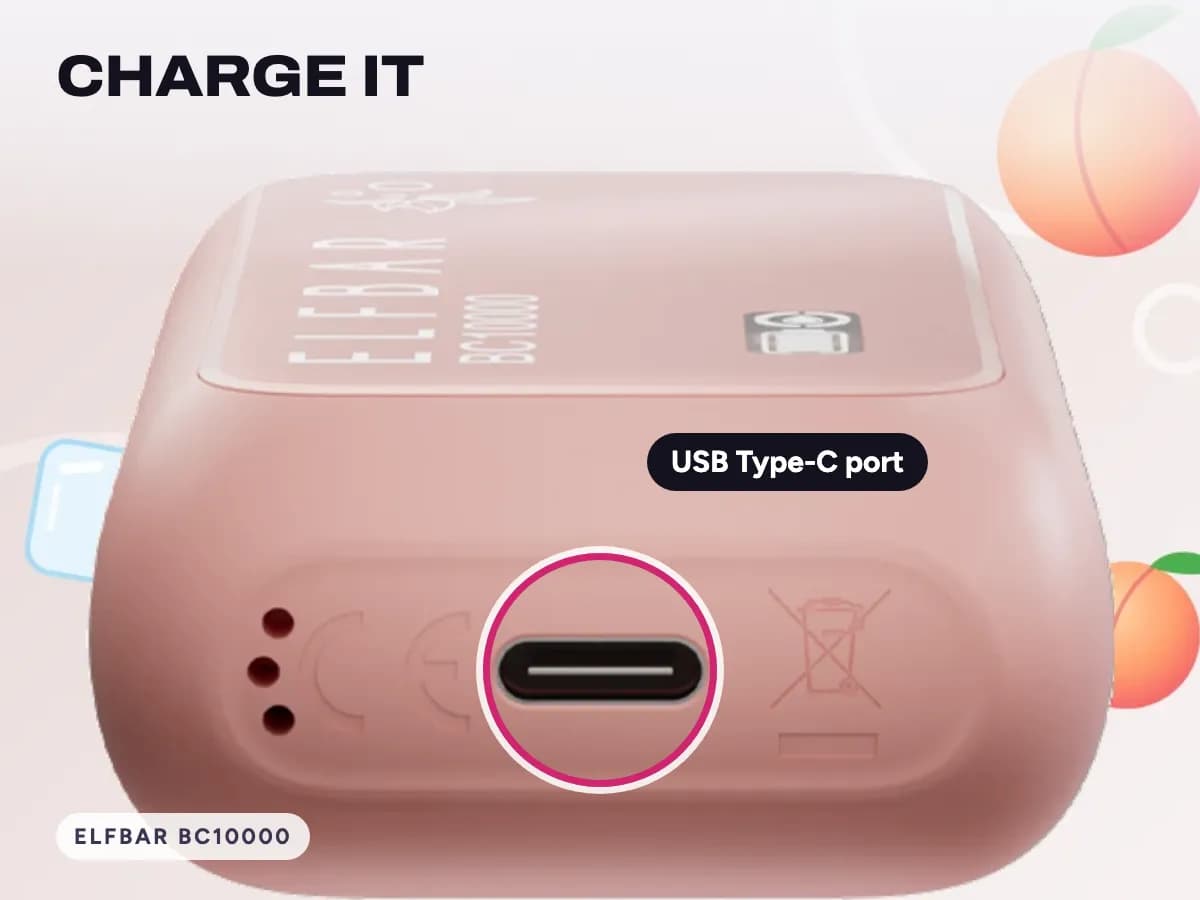
To charge the ELFBAR BC10000, connect a USB Type-C cable to the port on its base and keep an eye on the battery reading on the front screen. Once that reading looks full, unplug it. There's no official charge time for this model, so the screen is your timer, and each top-up keeps this USB-C rechargeable disposable vape working for as long as its 18 ml of e-liquid holds out.
Unplugged it and got no puff? That's usually Dry Hit Prevention, covered further down. Our ELFBAR BC10000 guide has the full spec list, every flavor and how the device works from day one.
Two readings on one screen: what to check before you charge
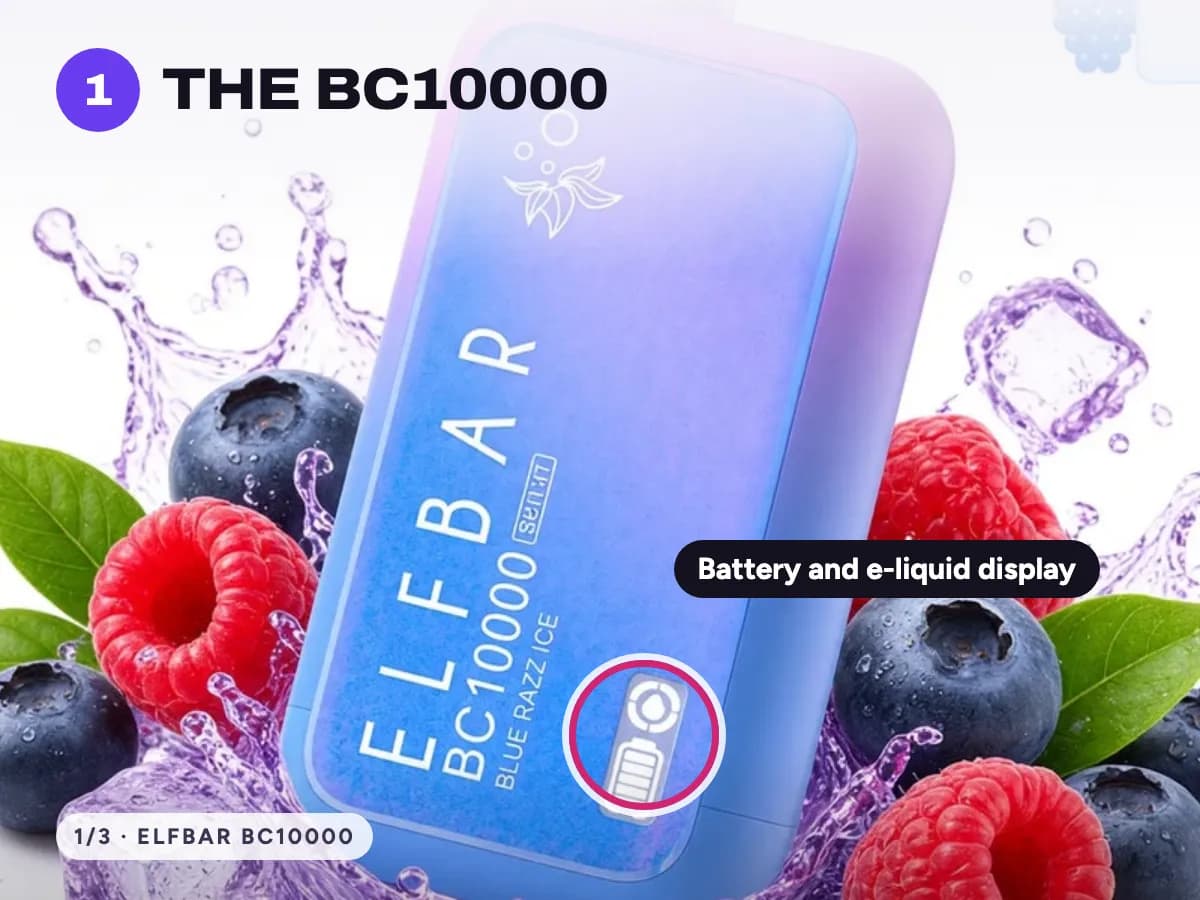
The BC10000 has something many disposables lack: a screen. ELFBAR's BC10000 product page describes a real-time display that lets you "check e-liquid and battery levels while vaping", shown as a battery icon next to a droplet. Reading the two together tells you what to do next:
- Battery low, droplet still showing e-liquid: plug it in. This is the only case where charging helps.
- Battery fine, droplet getting low: no charge needed yet. The device is simply nearing its end.
- Droplet empty: the device is finished, however full the battery icon looks.
We go by whether the battery icon looks full rather than quoting a number or percentage. Our guide to the BC10000 screen covers both icons in more detail.
620 mAh and 18 ml: why the ELFBAR BC10000 is rechargeable
ELFBAR lists a built-in 620 mAh battery and a Type-C charging port for the BC10000. The device holds 18 ml of pre-filled nicotine salt e-liquid. The battery and the e-liquid run down separately: the battery powers the mesh coil and can be topped up, while the e-liquid is what runs out for good. So if the battery runs low first, you charge it and carry on.
ELFBAR's FAQ puts it plainly: a BC10000 "can be recharged if the battery is depleted but still contains e-liquid". The rating is up to 10,000 puffs, and ELFBAR says its lab counts assume one-second draws, so longer or more frequent puffs mean fewer. It doesn't publish puffs per charge, which is another reason to trust the screen over any estimate. That holds for every flavor in our BC10000 flavor range. For what drains the 18 ml faster, read how long a BC10000 lasts.
How to charge the BC10000
- Turn the device over. The USB Type-C port sits on the base, at the end opposite the mouthpiece.
- Push a USB Type-C cable in until it seats firmly. Only the device comes in the box, so use one you own, such as your phone cable.
- Plug the other end into a wall adapter or a computer's USB port.
- Set the device down on a firm surface in the shade, and check the battery icon on the screen from time to time.
- Once the battery icon looks full, disconnect the cable, wait a few seconds, then inhale gently. There's no button to press.
The flavor makes no difference to any of this. Pictured below is BC10000 Peach Ice, a soft ripe peach with a crisp menthol exhale.
ELFBAR BC10000 charging time: read the battery icon, not the clock
The product page and FAQ list the battery and the port, but no figure in minutes, and we won't guess one. Instead, think about what makes one charge longer than another:
- Where you start. A battery icon that's nearly empty needs longer than one that's half full.
- The charger. A wall adapter and a computer's USB port don't always supply power at the same rate.
- The connection. If the plug wobbles in the port, the charge may cut in and out, so swap the cable.
One thing not to use as a gauge is the light. ELFBAR's launch material describes "a radiant loop of light that envelops the nozzle during each hit", so the ring around the mouthpiece lights up when you puff, not to show charge. ELFBAR's general FAQ treats weak vapor or a blinking light as a sign to recharge or dispose of a device, and on the BC10000 the screen tells you which of the two it is.
Five steps, from the port on the base to the first puff after charging.
Dry Hit Prevention: the pause after unplugging
A BC10000 that stays silent on the first draw after charging is usually doing what it should. In its UAE launch release, ELFBAR says Dry Hit Prevention "prevents burnt and unpleasant tastes due to insufficient e-liquid or immediate post-charging puffs". So give it a few seconds once the cable is out, then take a gentle draw.
The same feature can hold back puffs when the e-liquid is too low, which is why the droplet matters here too. If both icons show something left and it still won't fire after a short wait, work through our BC10000 troubleshooting checklist.
When the screen says it's finished
An empty droplet is the end of the road. ELFBAR's FAQ says "once the e-liquid is exhausted, the device should be disposed of", and a fresh charge changes nothing at that point. ELFBAR's support advice for a device that isn't hitting is similar: it "may mean the device is empty or the coil has reached the end of its life", so "check the e-liquid level on the display" first.
If the battery icon never climbs while plugged in, swap the cable, try a different socket and look into the port for lint or dust. Our guide to an ELFBAR that isn't hitting or is blinking covers the signs across the range. Don't pry the case apart, refill it or attempt a repair.
Ready for another? The ELFBAR 10k line has plenty to pick from. BC10000 Blueberry Mint pairs sweet ripe blueberry with a cool mint exhale. BC10000 Cherry Watermelon is sweet and summery with no cooling, and BC10000 Lemon Lime is zesty citrus with low sweetness. Browse our top BC10000 flavor picks, or the BC10000 ice and mint guide if you want the cold ones ranked.
Charging safely in UAE heat
Lithium batteries and summer heat don't mix well, so we group our advice by moment rather than as a long list of rules:
- Before you plug in: check that the device is cool, dry and intact. Let it cool first if it's been in a hot bag or car, and skip charging altogether if the case is cracked, dented or wet.
- Where it sits: choose a firm, open spot out of the sun. Soft furnishings hold heat, and a parked car in summer is the wrong place for the device at any time.
- While it charges: stay nearby and disconnect it once the battery icon looks full, rather than leaving it plugged in overnight. If the case turns hot, unplug it, and retire it if the heat doesn't go away.
- When it's used up: keep it out of reach of children and pets, and drop it at a battery or hazardous-waste collection point instead of the household bin.
The BC10000 contains nicotine, which is addictive, and we sell it to adults 18+ only. The same advice applies to every flavor of this mesh coil BC10000 disposable.
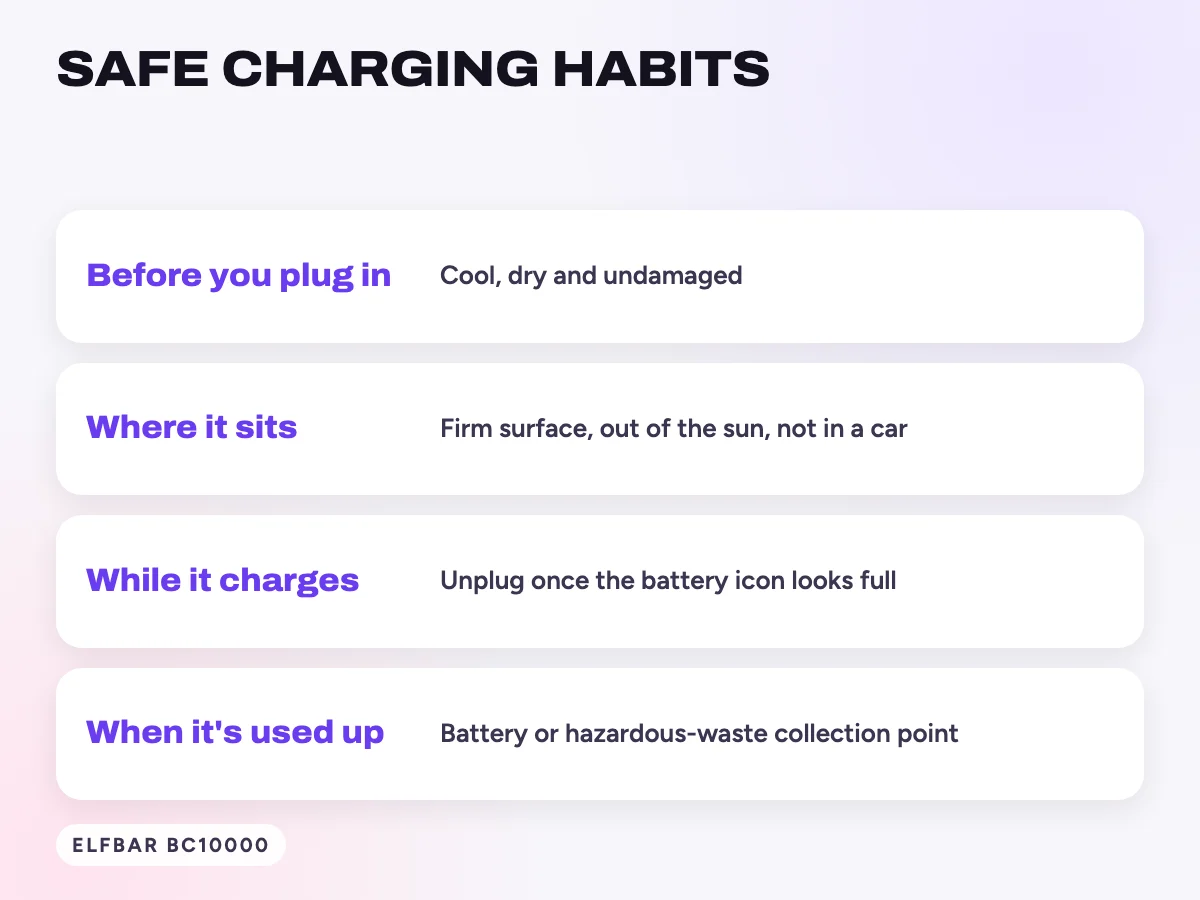
Four moments to think about when you charge in UAE heat.
Quick answers
Questions
Q1How do I know my BC10000 is fully charged?
Look at the battery icon on the front screen: when it looks full, the charge is done. With no official charge time for this model, that reading is the signal to go by. Disconnect the cable at that point and give it a few seconds before you inhale.
Q2How many times will I charge one BC10000?
There's no fixed number. ELFBAR doesn't publish puffs per charge, and it depends on how often and how long you draw. Recharge each time the battery icon runs low, and stop once the droplet is empty, because the battery can't create more e-liquid.
Q3Does the light ring show how much charge is left?
No. ELFBAR describes the loop of light around the mouthpiece as something that glows on each hit, not as a battery gauge. For charge, check the battery icon on the screen, and for what's left to vape, check the droplet next to it.
Q4The battery is full but the droplet is low. Should I keep charging it?
No need. A full battery icon means there's nothing more to add, and charging can't refill the e-liquid. Keep using it until the droplet runs out, then dispose of it at a battery or hazardous-waste collection point and pick your next flavor.