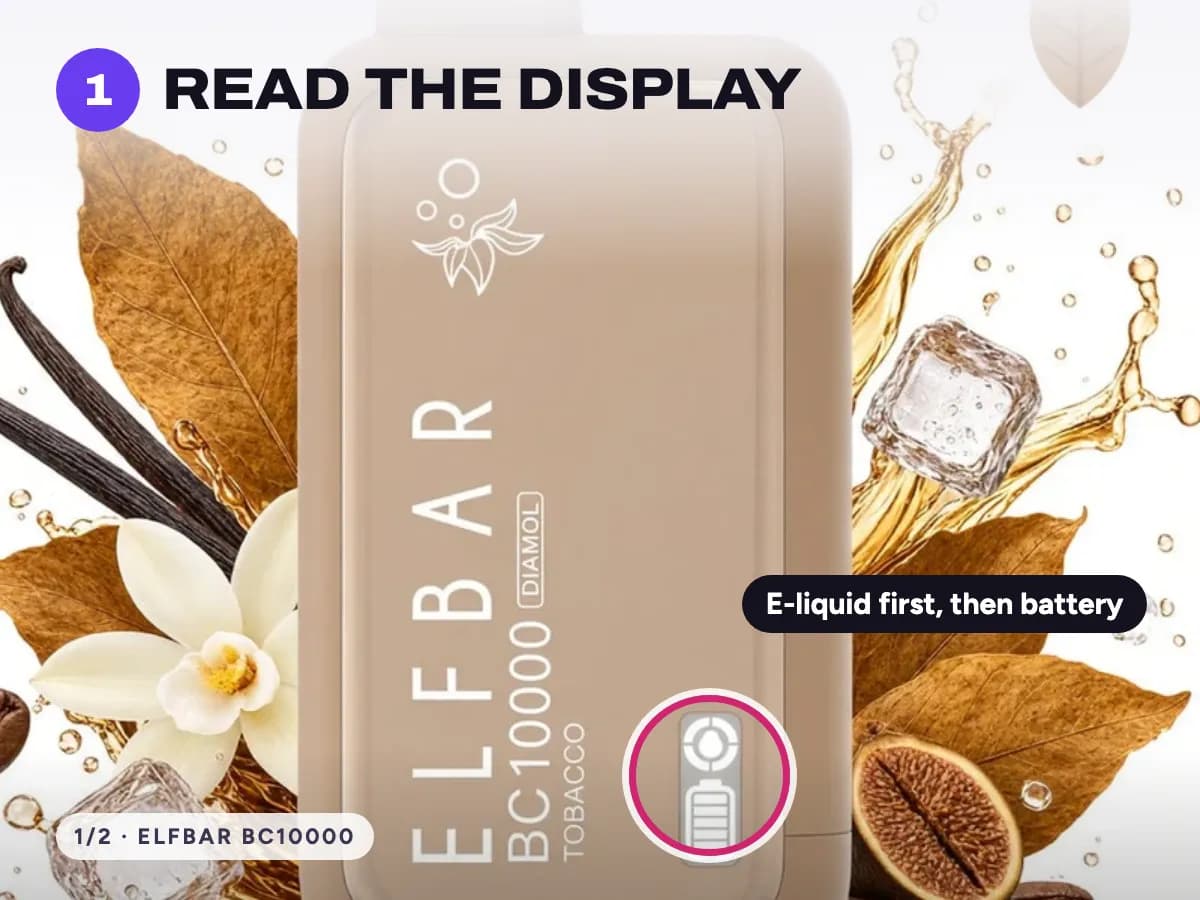
An ELFBAR BC10000 that won't work is usually empty, flat or just charged, because Dry Hit Prevention can stop it firing for a moment after you unplug it. Check the e-liquid reading on the display first, then charge it over USB Type-C, pause briefly and take a gentle puff. If it still won't hit with e-liquid and battery showing, the coil may be worn out, and that's one for support.
The sections below go symptom by symptom for the ELFBAR 10000 puffs device. Specs and everyday use are in the ELFBAR BC10000 guide.
Why is my ELFBAR 10000 not working? A quick check
Find your symptom, then jump to its section below:
- No vapor, e-liquid reading empty: the device is finished. Charging won't help.
- Weak or no vapor, battery reading low: charge it over USB Type-C.
- Won't fire right after charging: Dry Hit Prevention. Give it a few seconds, then puff gently.
- Burnt taste: low e-liquid or an overheated coil. Check the reading and rest it.
- Blinking light or blank screen: charge it, then check both readings again.
- Brand new and won't fire: caps or stickers still on. Check the security code too.
- Both readings fine, still no hit: the coil may be at the end of its life. Contact support.
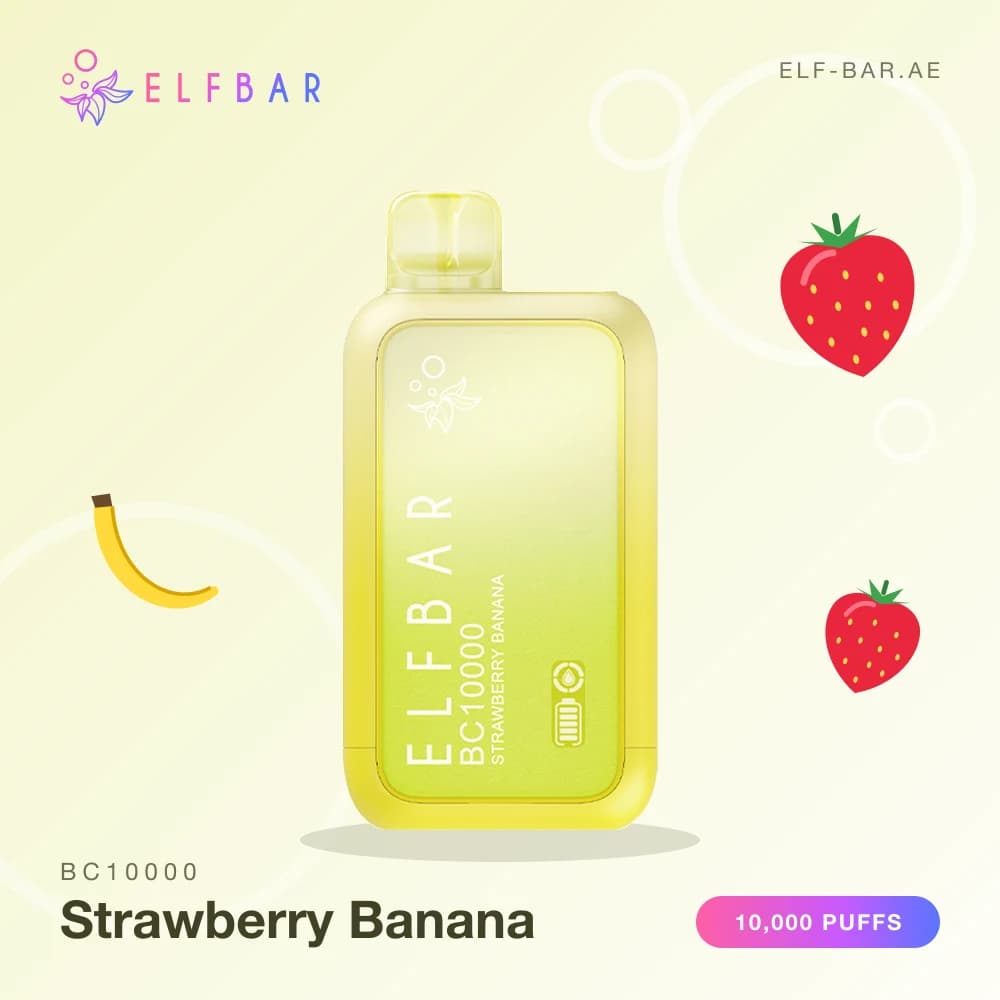
The BC10000 makes this easier than most disposables, because the display on the front shows e-liquid and battery separately. ELFBAR's product page calls it a "real-time display" of both levels. The device pictured is BC10000 Tobacco. Every flavor of this screen-equipped BC10000 works the same way.
Not hitting: check the e-liquid reading first
ELFBAR's support page gives one first step for a BC10000 that isn't hitting: check the e-liquid level on the display. Its FAQ adds that no hit "may mean the device is empty or the coil has reached the end of its life."
- Look at the upper icon, the e-liquid reading. If it's empty, the 18 ml is used up and the device is finished.
- If e-liquid is showing, look at the lower icon, the battery. If it's low, charge it.
- After charging, unplug it, leave it a few seconds, then take a gentle puff.
- Still no hit with e-liquid showing and a charged battery? The coil is the likely cause. Contact support.
Our BC10000 display guide explains both icons in detail, including how to tell an empty device from a flat one.
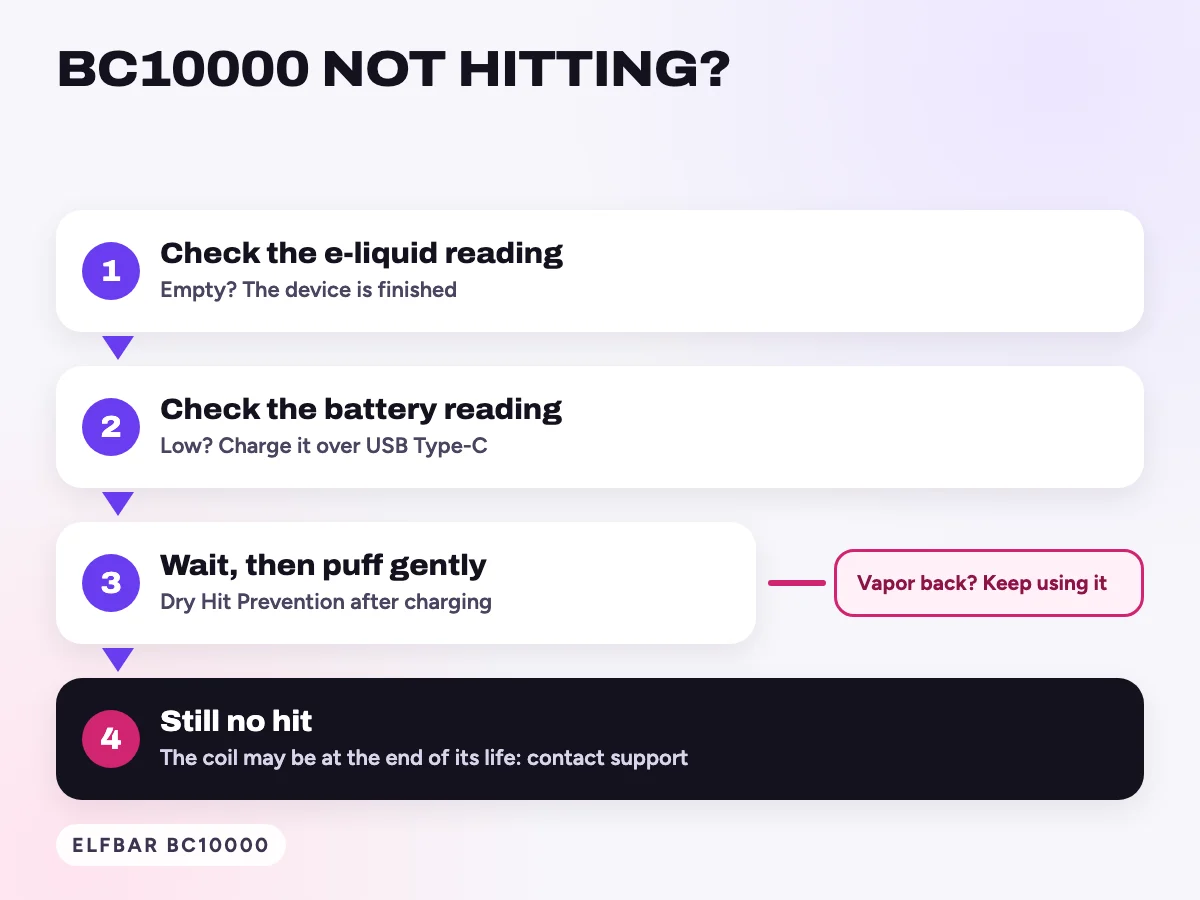
Not hitting: check the e-liquid, then the battery, then wait after charging.
Blinking light or blank screen
ELFBAR's general FAQ, which covers all its devices, says weak vapor or a blinking light means it's time to recharge the device or dispose of it. ELFBAR doesn't publish a blink pattern for the BC10000, so don't try to read a code into it. On this model, the display is what to read:
- Battery low, e-liquid left: charge it.
- E-liquid empty: it's finished, and charging won't help.
- Screen blank: charge it, then check both readings again and see whether it fires.
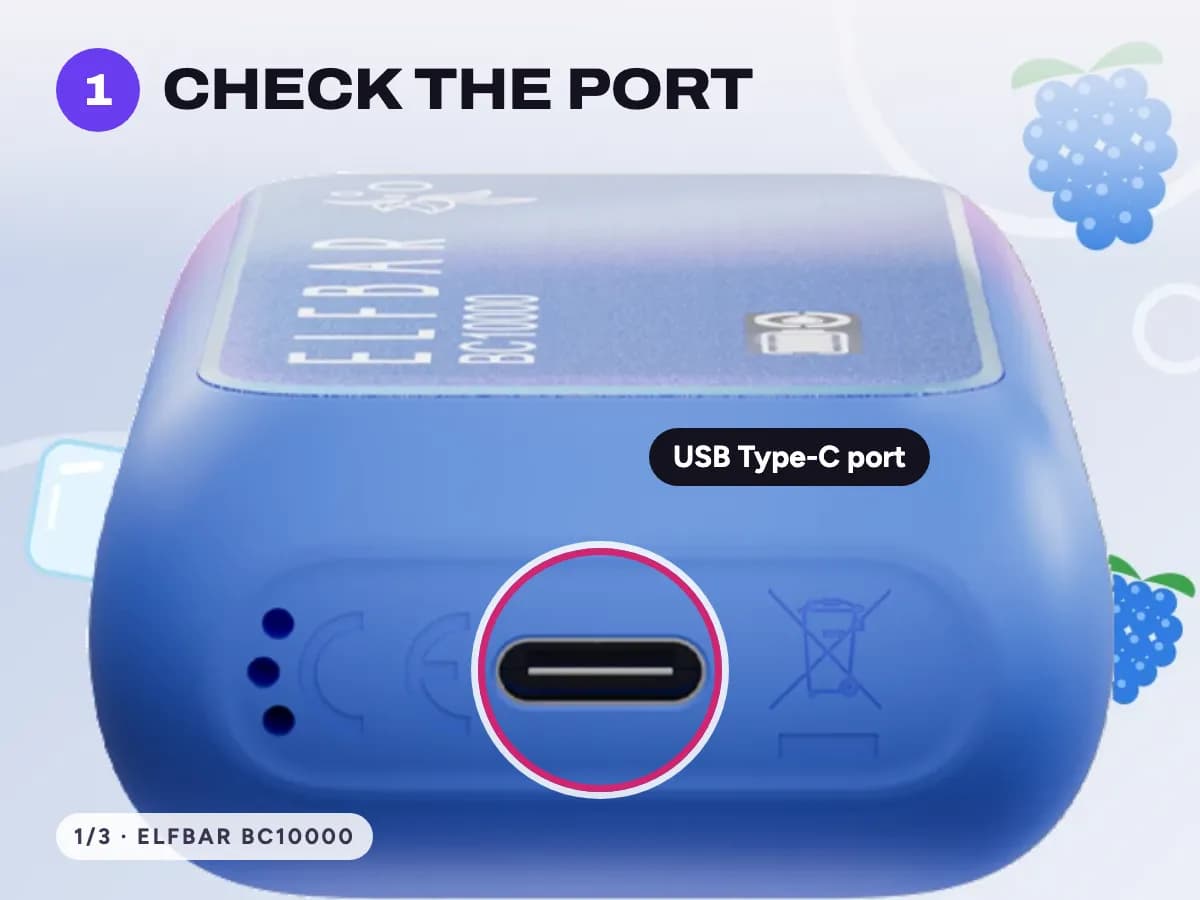
To charge, plug a USB Type-C cable into the port on the base, at the opposite end from the mouthpiece, and charge until the battery reading looks full. ELFBAR publishes no charging time for the BC10000. If it won't take a charge, try another cable and power source, and check the port for dust. Our BC10000 charging guide covers the details, and our general fixes for an ELFBAR that's blinking or not hitting cover the rest of the range.
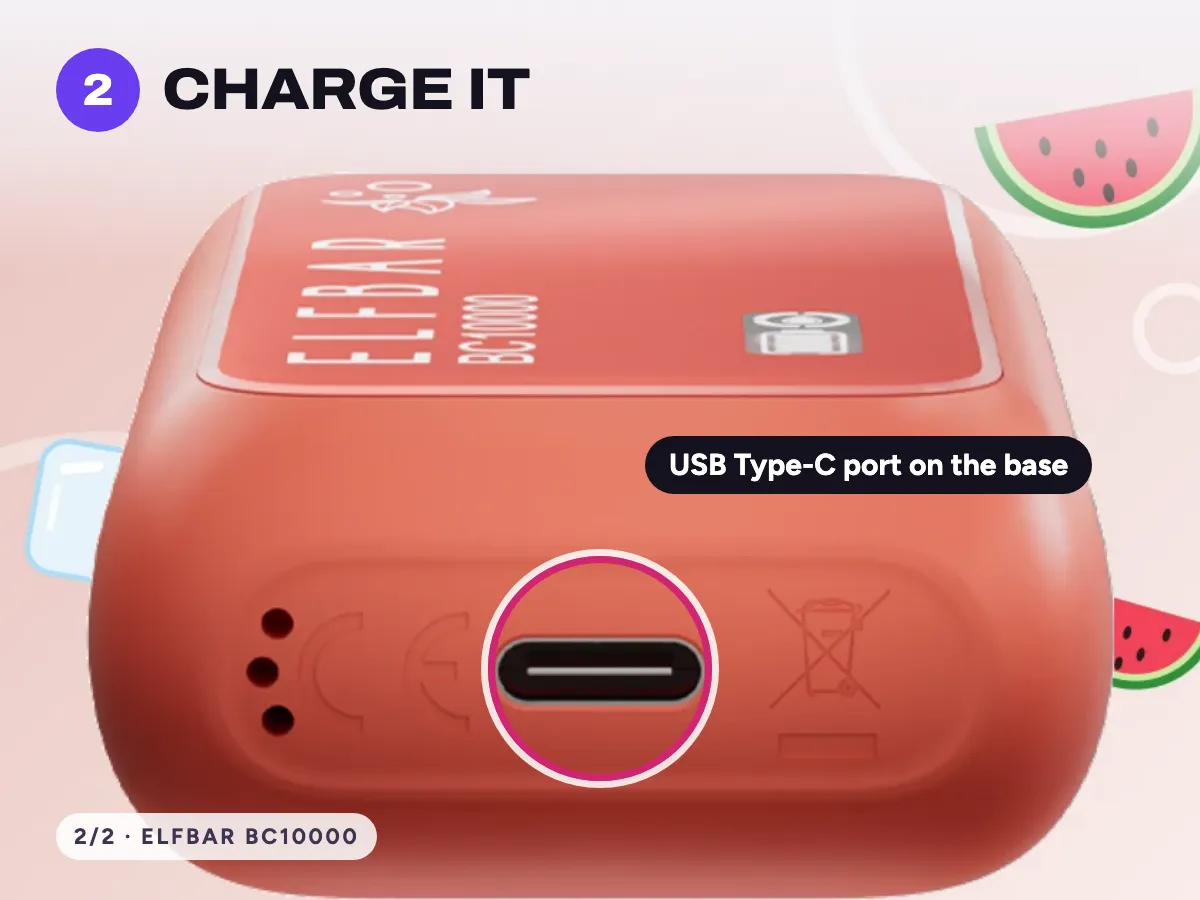
The USB Type-C port sits on the base, opposite the mouthpiece.
Burnt taste
ELFBAR's FAQ links a burnt taste to low e-liquid or an overheated coil. On the BC10000, work through it like this:
- Check the e-liquid reading. ELFBAR says its Dry Hit Prevention guards against burnt puffs caused by "insufficient e-liquid," so a burnt taste with the reading near empty means the device is done.
- If e-liquid is showing, rest it. Chain puffing and long draws give the mesh coil less time between puffs. Leave a pause and draw gently.
- Let it cool. If it's been in a hot car or in the sun, let it come back to room temperature before you use or charge it.
You can't repair a burnt coil. If the taste stays burnt with plenty of e-liquid showing after a rest, contact support. If the hit feels harsher than you expected rather than burnt, check which strength you ordered: our BC10000 nicotine guide explains 20 mg vs 50 mg. Both strengths contain nicotine, which is addictive, and the BC10000 is for adults 18+ only.
Not working straight after charging
This one catches people out. ELFBAR's UAE launch release says Dry Hit Prevention stops burnt and unpleasant tastes "due to insufficient e-liquid or immediate post-charging puffs." So a BC10000 that won't fire the moment you unplug it may be doing exactly what it should.
- Unplug it, pause briefly, then take a gentle puff.
- Don't puff while it's plugged in. We suggest unplugging it first.
- If it still won't fire after a short wait, check both readings and work through the quick check above.
A new BC10000 that won't fire
A brand-new device is full of e-liquid, so start with packaging and handling:
- Before you open the box, check its security code. Our genuine ELFBAR check shows how to verify it.
- Remove every cap and sticker from the mouthpiece and the base. A missed one can block the draw.
- Check the battery reading. If it's low, charge it before your first puff.
- Draw gently on the mouthpiece. There's no button to press.
- Still nothing? Contact us before you throw it away.
A new BC10000 that won't fire: check these in order.
Still not working: support and warranty
If you've worked through every check and it still won't hit with e-liquid and battery showing, don't open it, refill it or poke anything into the port. Instead:
- Bought from us: contact us with your order details and a photo of the display. Our returns policy covers items that arrive faulty or damaged.
- ELFBAR support: ELFBAR's support page lists its own help options, including support@elfbar.com.
When a BC10000 is finished, it still contains a lithium battery. ELFBAR's FAQ says such devices "must be disposed of at hazardous waste collection sites," so take it to a battery collection point, not the household trash. Then pick your next one from the BC10000 flavor range. BC10000 Strawberry Ice pairs sweet, ripe strawberry with a cool menthol exhale. BC10000 Watermelon Ice gives sweet watermelon with an icy finish.
Quick answers
Questions
Q1Why is my BC10000 lit up but not hitting?
Usually because it's empty or was just charged. Check the e-liquid reading first, as ELFBAR's support page advises: if it's empty, the device is finished. If e-liquid is showing and you've just charged it, give it a few seconds, because Dry Hit Prevention can hold back early puffs. If it still won't hit, the coil may be at the end of its life.
Q2Can I fix a BC10000 that tastes burnt?
Sometimes. ELFBAR's FAQ links a burnt taste to low e-liquid or an overheated coil, so let it rest and cool, then draw gently with pauses. If the e-liquid reading is near empty, the device is done. A burnt coil can't be repaired, so contact support if the taste persists with e-liquid showing.
Q3Will charging fix a BC10000 that's not hitting?
Only if the battery is the problem. If the battery reading is low with e-liquid showing, charge it over USB Type-C, unplug it, pause briefly and draw gently. If the e-liquid reading is empty, charging won't help, because the device is finished. If both readings look fine and it still won't hit, contact support.
Q4Is a blinking BC10000 empty?
Not necessarily. ELFBAR's FAQ says a blinking light means recharge or dispose, and on the BC10000 the display tells you which. Battery low with e-liquid showing means charge it. E-liquid empty means it's finished. Shop the full ELFBAR BC10000 range for a replacement.