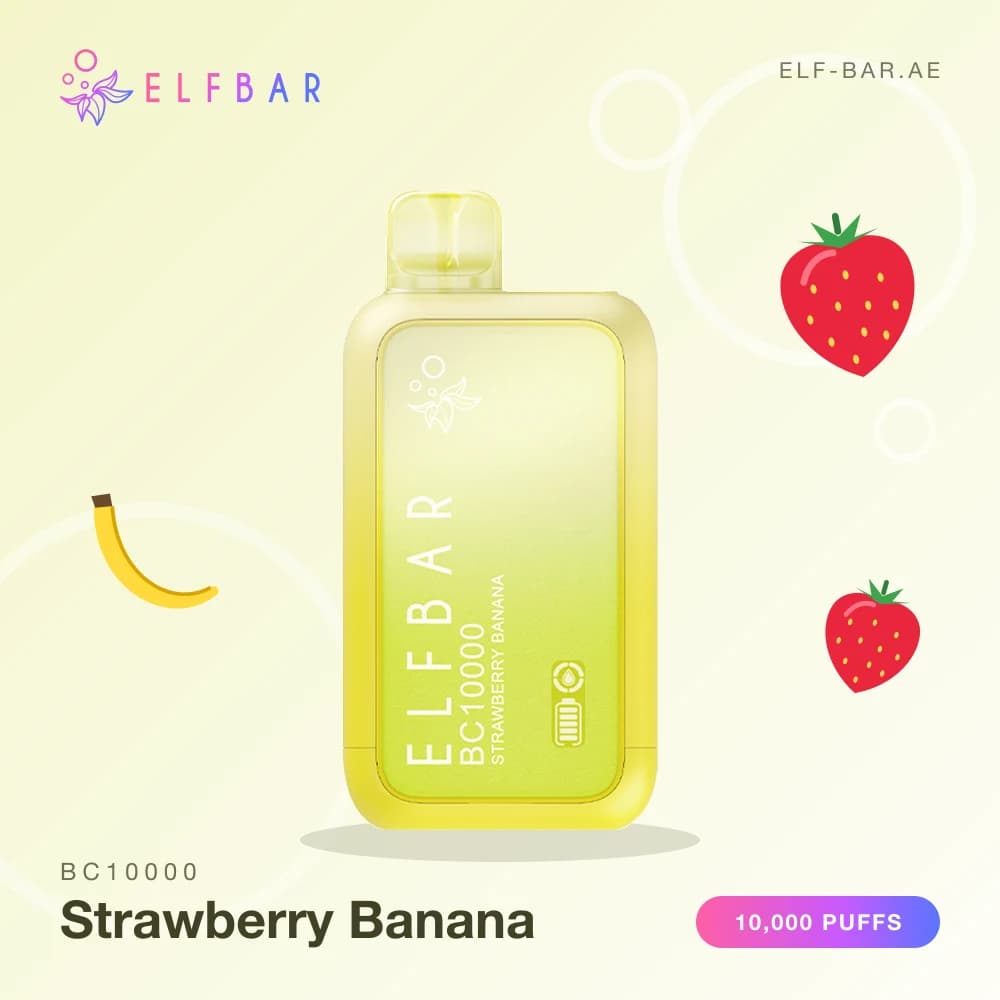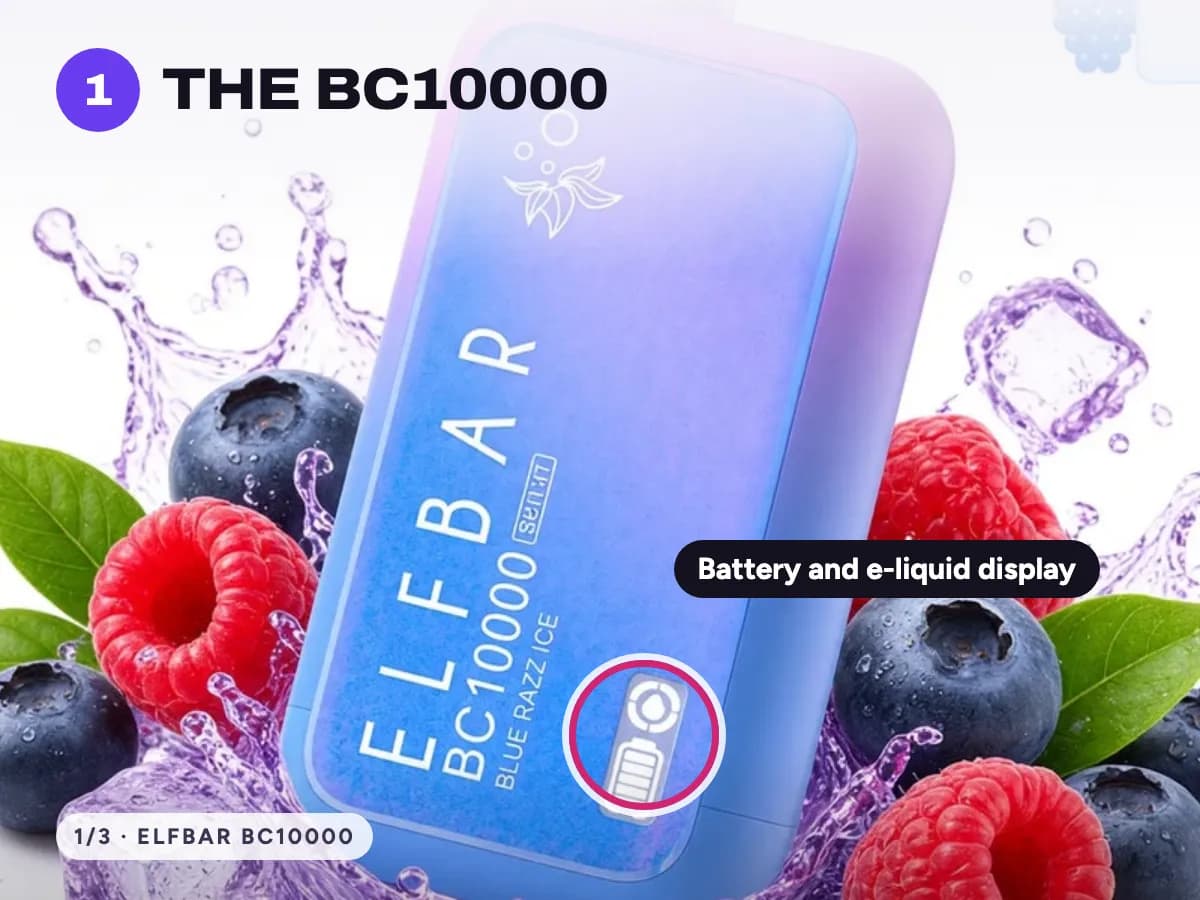
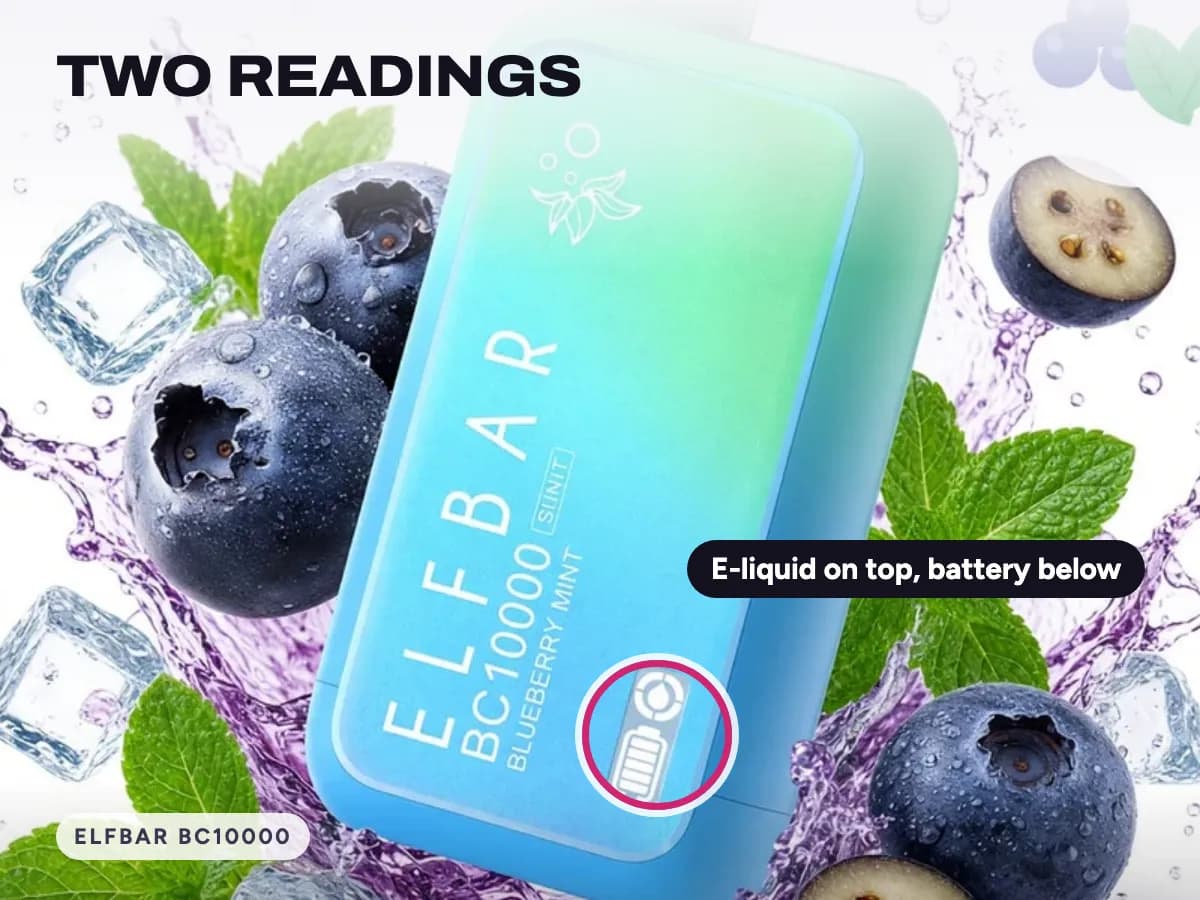
The ELFBAR BC10000 liquid indicator is the upper icon on the small display on the front of the device, and it shows how much e-liquid is left. The icon below it is the battery reading. When the e-liquid reading is empty, the BC10000 is finished, even if the battery still looks full, because charging restores the battery and nothing else.
That two-reading screen is what makes the BC10000 a disposable vape with an e-liquid display rather than a guessing game. Below is how to read each icon, tell an empty device from a flat one, and what to do when the screen and the vapor don't agree. Specs and flavors are in the main ELFBAR BC10000 guide.
What the ELFBAR BC10000 display shows
ELFBAR's BC10000 product page says you can "check e-liquid and battery levels while vaping due to its real-time display." So the screen gives you two readings, and only two:
- E-liquid: the upper icon, a droplet inside a ring. It tracks the 18 ml of pre-filled nicotine salt e-liquid.
- Battery: the lower icon, shaped like a battery. It tracks the built-in 620 mAh battery, which recharges over USB Type-C.
Whichever strength you choose, 20 mg or 50 mg, the BC10000 contains nicotine, which is addictive, and we sell it to adults 18+ only.
The display sits low on the front panel, under the BC10000 name. It doesn't count puffs, and there's nothing on it to set: the BC10000 has no button and no power, airflow or cooling modes. You just inhale gently.
The other light you'll notice is around the mouthpiece: a light ring glows on each puff. ELFBAR doesn't present that ring as a level gauge, so read the levels on the display. The device pictured is BC10000 Blueberry Mint, sweet ripe blueberry with a cool mint exhale. Every flavor in the ELFBAR 10K range has the same screen.
Reading the ELFBAR BC10000 liquid indicator
The e-liquid reading is the one that matters most, because the e-liquid decides when the device is done. ELFBAR's FAQ puts it plainly: once the e-liquid is exhausted, "the device should be disposed of." The battery can be topped up along the way, but the e-liquid can't, because this 18 ml pre-filled disposable vape isn't refillable.
If you're ever unsure which icon is which, check the box. The BC10000 box we photographed has a small inset that labels the droplet icon "E-liquid display" and the battery icon "Power display", in that order from top to bottom.
ELFBAR doesn't publish a legend for each step of the icons, so don't try to turn the reading into an exact number. Read it the simple way:
- Plenty showing: carry on.
- Getting low: expect the end soon and choose your next flavor.
- Empty: the device is finished. Charging won't bring it back.
How fast the reading falls depends on how you vape. Long draws and chain puffing use more e-liquid. ELFBAR's FAQ notes that its puff counts are measured with one-second draws. Our guide on how long an ELFBAR BC10000 lasts shows how to estimate your own.
Reading the battery indicator
The lower icon shows how much charge is left in the 620 mAh battery. A low battery with e-liquid still showing is the easy case: charge it. ELFBAR's FAQ says the device "can be recharged if the battery is depleted but still contains e-liquid."
- Plug a USB Type-C cable into the port on the base, at the opposite end from the mouthpiece.
- Charge it until the battery reading looks full, then unplug it. Don't leave it charging for long periods.
- Pause for a few seconds before your first puff. ELFBAR's UAE launch release says Dry Hit Prevention guards against "immediate post-charging puffs," so it may not fire straight away.
ELFBAR doesn't publish a charging time for the BC10000, so let the battery reading tell you when it's done rather than a clock. Our BC10000 charging guide covers cables, chargers and safe habits in UAE heat. Expect to plug it in along the way: the rechargeable ELFBAR BC10000 is built to be recharged for as long as e-liquid remains.
Empty or just flat? A two-step check
Weak vapor, no vapor and a faint taste can all mean either a flat battery or an empty device. The two readings let you tell them apart:
- Look at the e-liquid reading first. If it's empty, stop there: the device is finished.
- If e-liquid is showing, look at the battery reading. If it's low, charge it over USB Type-C until the reading looks full.
- Unplug it, give it a few seconds, then take a gentle puff.
- Vapor back? Keep using it. Still nothing with e-liquid showing and a charged battery? See the next section.
This is the same order ELFBAR's support page gives for a BC10000 that isn't hitting: check the e-liquid level on the display first. Its FAQ adds that no hit "may mean the device is empty or the coil has reached the end of its life."
The check in order: e-liquid first, then the battery.
When the e-liquid reads empty, take the device to a battery or hazardous-waste collection point, not household trash, because it holds a lithium battery. Don't try to open or refill it.
Then pick the next one. If you like a cold finish, BC10000 Miami Mint is a clean, strongly cooled mint with low sweetness. For fruit with a chill, BC10000 Watermelon Ice pairs sweet, ripe watermelon with an icy exhale. Our BC10000 ice and mint flavors guide compares all the icy options.
When the screen and the vapor disagree
Sometimes both readings show e-liquid and battery left, but the BC10000 still won't give vapor. Work through these before you decide it's faulty:
- Caps or stickers left on: on a new device, check that every cap and sticker is off the mouthpiece and the base.
- Just charged: Dry Hit Prevention may hold back the first puffs after charging. Try again after a short pause with a gentle draw.
- Coil at the end of its life: this is the other cause ELFBAR names for no hit. If both readings look fine and the checks above don't help, it's the likelier one, and it isn't something you can fix yourself.
- Blank screen: ELFBAR doesn't publish exactly when the display lights up, so a blank screen on its own tells you little. If it's blank and won't fire, charge it, then check both readings again.
If none of that helps, our BC10000 troubleshooting guide goes symptom by symptom, and our general fixes for an ELFBAR that's blinking or not hitting cover the rest of the range. If a device bought from us arrived faulty, contact us before you throw it away.
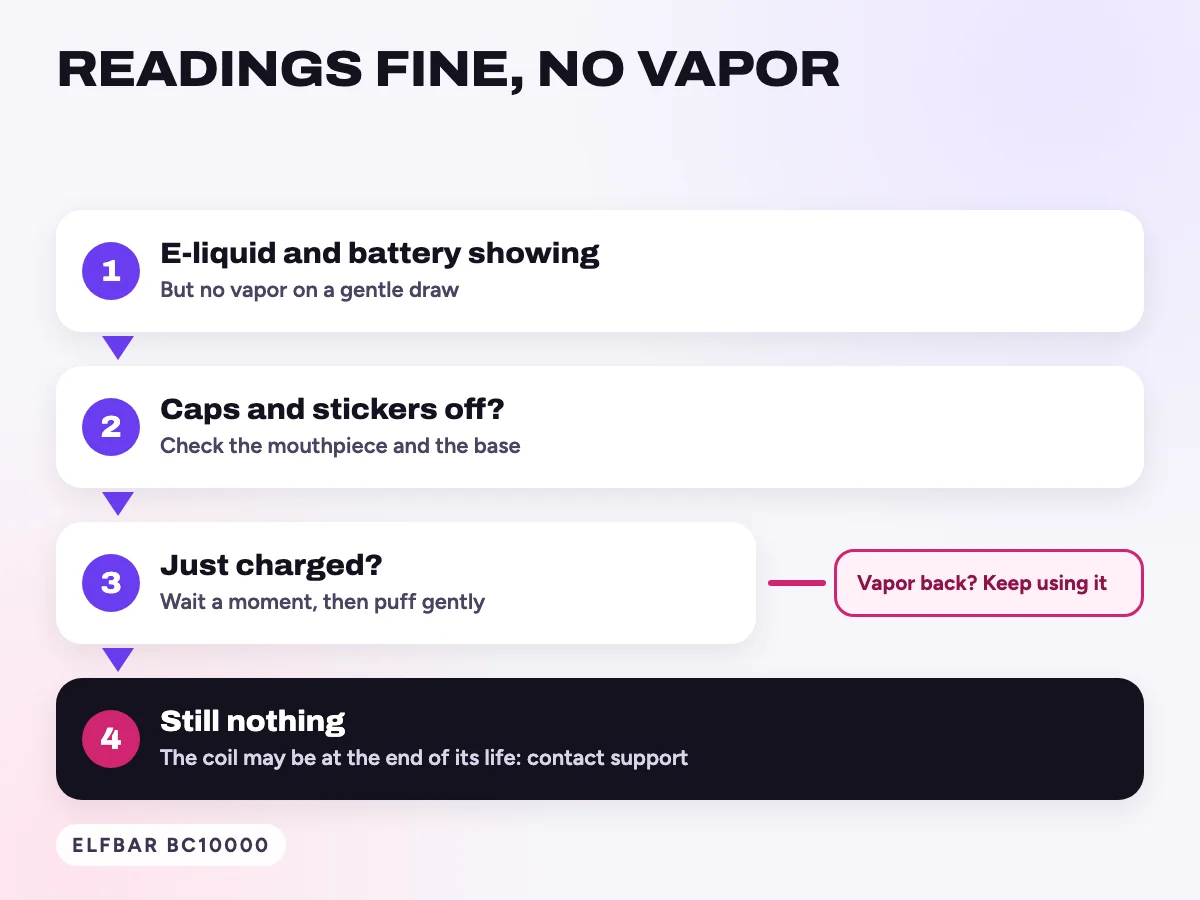
Readings fine but no vapor: check these in order.
Quick answers
Questions
Q1How do I know when my BC10000 is empty?
Check the upper icon on the display, the e-liquid reading. When it shows empty, the 18 ml of e-liquid is used up and the device is finished, whatever the battery icon says. Weak or burnt-tasting puffs near the end point the same way. Choose your next one from the ELFBAR BC10000 flavors.
Q2Does the display show how many puffs are left?
No. ELFBAR describes it as a real-time display of e-liquid and battery levels, not a puff counter. The "up to 10,000 puffs" figure is a lab rating based on one-second draws, so the e-liquid reading is a better guide to what's left than any puff number.
Q3Can I recharge a BC10000 that shows empty e-liquid?
You can plug it in, but it won't help. Charging restores the battery only. ELFBAR's FAQ says the device can be recharged while it "still contains e-liquid," and that once the e-liquid is exhausted it should be disposed of, at a battery or hazardous-waste collection point.
Q4Why won't my BC10000 screen light up?
Usually the battery is flat. Charge it over USB Type-C, unplug it, pause briefly and check both readings again. A charged device that fires is working, even if the screen looked blank. If it stays blank and won't fire, contact us or ELFBAR support.